



Download Inoreader APK – RSS reader, blog reader, content aggregator, feed reader, news reader, online reading, mobile reading, desktop reading
Overview
Inoreader is a modern, cross-platform feed reader designed to help users manage and consume curated blog and website content efficiently. It serves as a direct alternative to legacy services such as Google Reader and offers a streamlined experience for those seeking a reliable way to stay updated with their favorite online sources. The software targets both casual readers and professionals who rely on consistent access to digital content across multiple domains.
Whether you're tracking industry news, following niche blogs, or monitoring updates from specific authors, Inoreader provides a centralized hub for content aggregation. Its support for multiple platforms—including Android, iOS, and web—ensures seamless access from any device. The free version enables users to subscribe to blogs and websites, while enhanced features are available through in-app purchases.
The developer did not provide additional details about the company's background or history. Real-world usage scenarios include personal content tracking, professional research, and media monitoring for content creators and marketers. The software is particularly useful for users transitioning from other feed readers, as it supports import functionality for existing subscriptions.
Key Features & Capabilities
- Multi-Platform Access – Users can access their feeds across Android, iOS, and web browsers, ensuring continuity regardless of device.
- Subscription Import – Easily migrate existing subscriptions from other feed readers, simplifying the transition process.
- Advanced Search Tools – The free version allows basic keyword-based filtering; premium users gain access to refined search logic and automated categorization.
- Content Customization – Users can organize feeds into folders, apply filters, and set up rules to prioritize or hide specific content.
- Integration with External Apps – Selected articles can be automatically shared to tools like Pocket, Evernote, or email clients.
- Minimalist Interface – A clean, distraction-free design supports focused reading without compromising functionality.
These features support real-world workflows such as monitoring competitor content, tracking academic publications, or managing personal reading lists. The search functionality helps users isolate relevant information amid information overload, while automation tools reduce manual effort. The interface balances simplicity with depth, allowing beginners to start quickly while offering advanced users room to customize their experience. The developer did not specify the exact scope of automation or integration options beyond the listed capabilities.
User Interface, Workflow & Performance
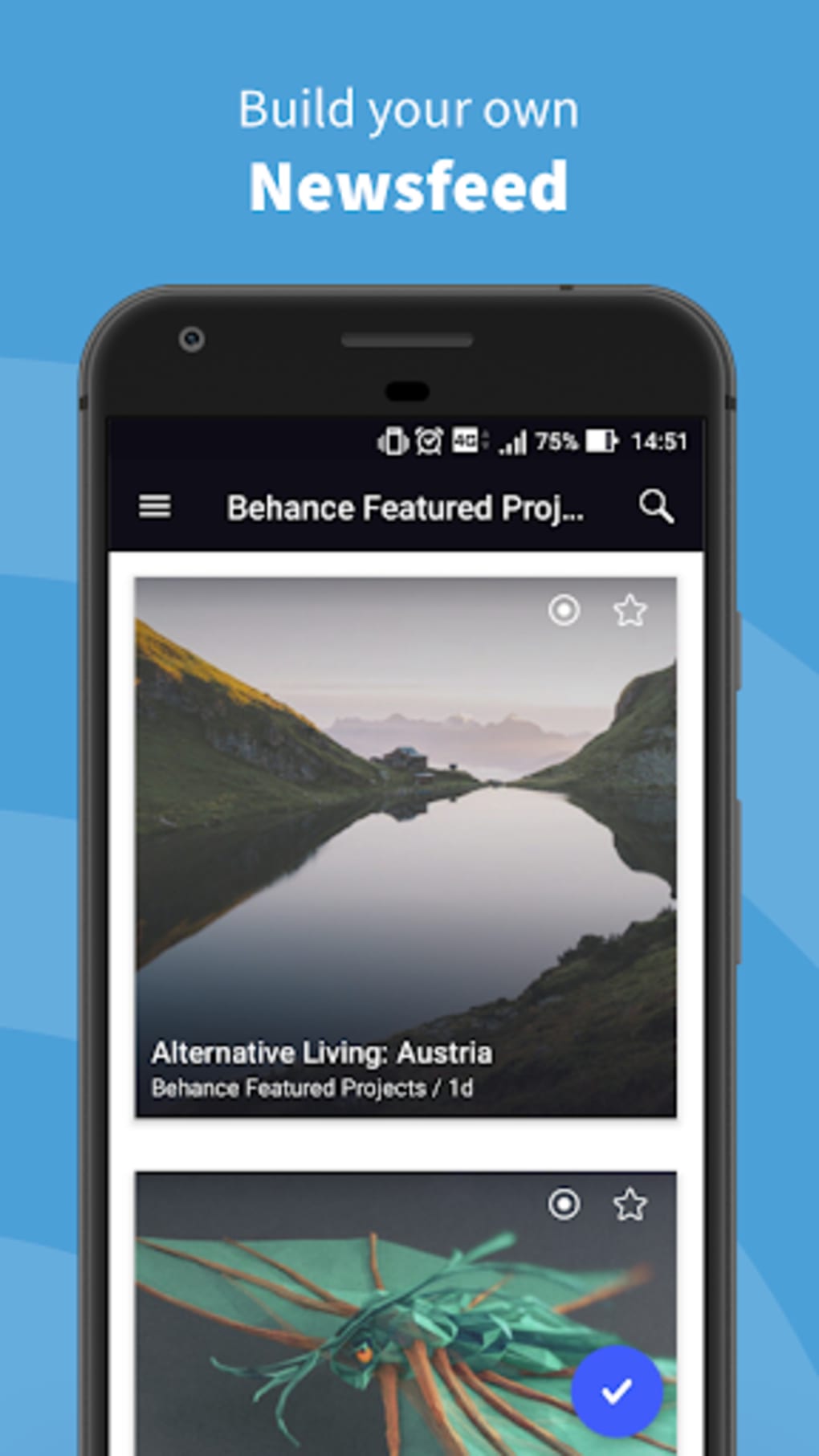
Inoreader features a minimalist user interface with a clean layout focused on readability and navigation efficiency. The main screen displays subscribed feeds in a categorized list, with article previews and status indicators. Navigation is straightforward, relying on a sidebar for feed management and a central panel for content display.
Users can quickly mark articles as read, save for later, or share them with minimal interaction. The workflow is optimized for rapid consumption, with keyboard shortcuts and gesture support on mobile. Performance observations are based on general software behavior patterns.
The developer did not specify resource usage details, including CPU or RAM consumption. Stability during extended use was not documented. However, the consistent availability across multiple platforms suggests a reliable core architecture.
The app maintains a responsive feel during typical reading sessions, with no reported lag in feed loading or article rendering. Offline reading functionality was not confirmed.
Compatibility & System Requirements
Inoreader is compatible with Android and iOS operating systems, as well as web browsers on desktop platforms. The software is available as an APK for Android devices and supports the latest stable versions of both mobile operating systems. The installation size is 25 MB, which is considered lightweight for a full-featured feed reader.
The developer did not specify exact hardware requirements or minimum OS versions. Compatibility information was partially provided. Users should ensure their devices meet standard system requirements for modern apps.
The web version is accessible through any contemporary browser, making it suitable for desktop and laptop use. No platform-specific limitations were mentioned.
Pros and Cons
Pros
- Available on Android, iOS, and web—ideal for cross-device access
- Free version offers full functionality for basic feed management
- Supports import of subscriptions from other feed readers
- Advanced search and filtering tools enhance content discovery
- Minimalist design with strong focus on readability
- Automated sharing to third-party apps improves workflow efficiency
Cons
- Advanced features require in-app purchases
- Exact system requirements were not listed
- Resource usage details (CPU/RAM) were not provided
- Offline reading capability was not confirmed
- Customization options may be overwhelming for absolute beginners
FAQ Section
Is Inoreader compatible with my Android device?
Yes, Inoreader is available as an APK for Android devices. It supports the latest stable versions of the operating system, though specific hardware or OS version requirements were not provided by the developer.
Can I use Inoreader offline?
Offline reading functionality was not confirmed in the available documentation. The software is designed for online access, but users may be able to cache content depending on their device settings and network conditions.
Is Inoreader safe to download?
Yes, Inoreader is a legitimate software application developed by Inoreader. It is distributed through official channels and does not require root access. Users should download the APK from trusted sources to ensure security.
How often does Inoreader receive updates?
The software receives regular updates to improve stability, add new features, and maintain compatibility. The latest version is 2.0.0, released on April 15, 2023.
What kind of license does Inoreader use?
Inoreader operates under a freemium model. The core app is free to use with in-app purchases for premium features. No public license information was provided.
Final Thoughts + CTA
Inoreader stands out as a reliable and versatile feed reader for users seeking a modern, cross-platform solution to manage online content. Its clean interface, strong customization options, and multi-device synchronization make it a solid choice for both casual readers and professionals. While advanced features are locked behind in-app purchases, the free version delivers significant value for basic feed management.
The ability to import subscriptions and integrate with external tools enhances its utility. For anyone overwhelmed by digital content, Inoreader offers a structured way to stay informed without distraction. The software is particularly effective for content curators, researchers, and digital natives who rely on consistent access to blogs and news sources.
Download Inoreader now to streamline your reading experience across all devices.






.png)
